Use cases
Block an app from the internet on macOS
Use one Block rule to stop an app from opening network connections, and learn which processes that rule actually covers and which destinations stay outside it.
Block is one of the three rule actions, and it needs no proxy server: connections opened by a matching process are stopped. Understanding what the rule covers matters more than creating it.
Create the rule
- 1
Add a rule
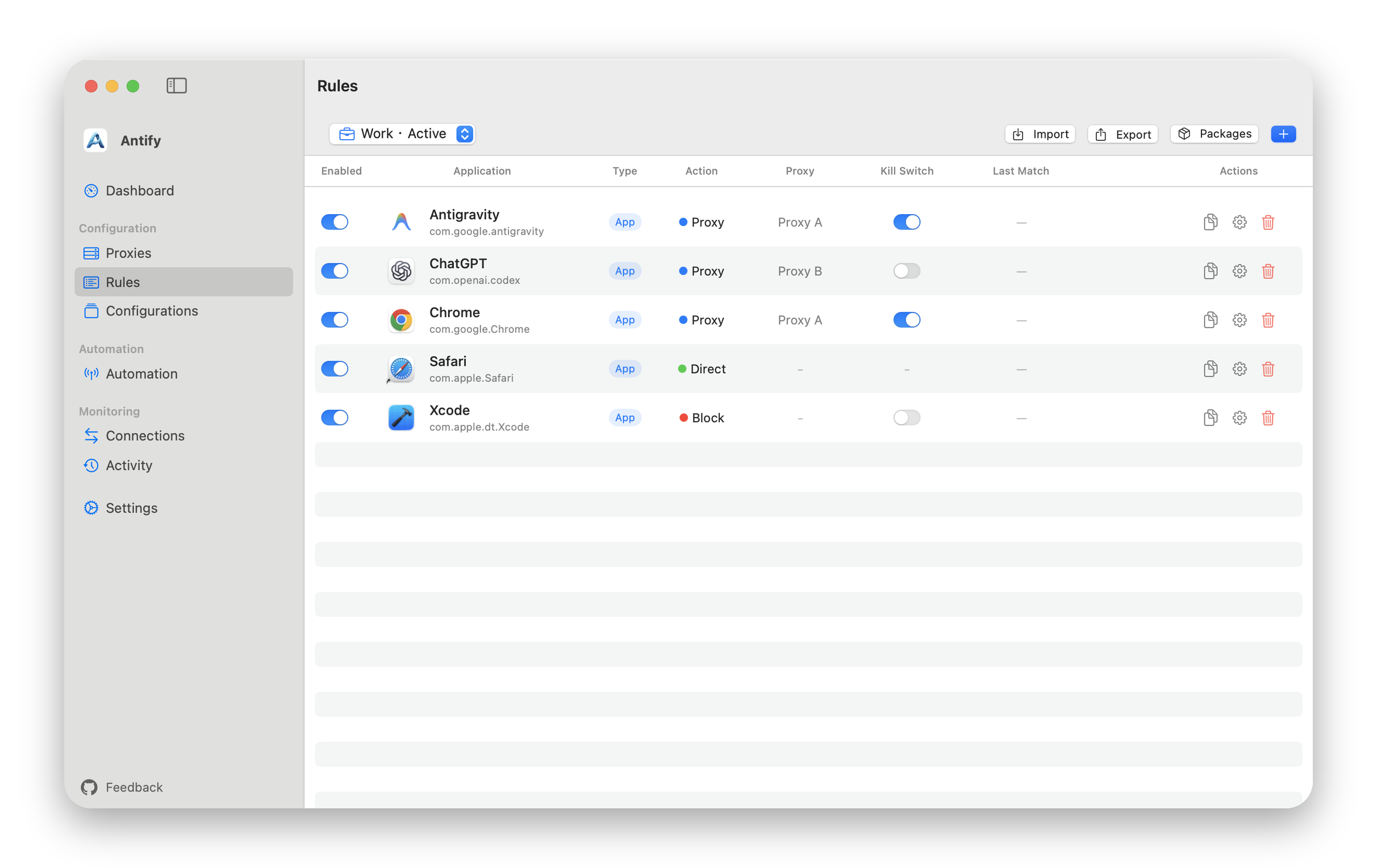
In Rules, click Add Rule and drag the target .app into the form. A rule can also point at a command-line executable, a script package, or a directory.
- 2
Choose Block
Set Action to Block. Unlike Proxy, a Block rule does not require you to select a proxy server.
- 3
Save and check the extension is running
The system extension is what enforces the rule. While it is not running there is no interception point, so the rule does nothing. Antify requires macOS 14.0 or later.
Which processes the rule covers
Components inside the app bundle are handled by that app rule.
Other processes the app starts are not covered by default. The "Apply to spawned processes" switch in the rule form controls this. It is off by default and only applies to .app rules. What it covers is the programs that app launches, such as a terminal running curl or an IDE running its build tools.
How far the block reaches
Local network traffic is cut too. A Block rule does not exempt private addresses, so a blocked app also loses the printer, the NAS, and anything else on your network (10.x, 172.16–31.x, 192.168.x and similar). Link-local addresses (169.254.x.x, fe80::) and multicast never pass through Antify and are unaffected. (Proxy and Direct rules do the opposite: the local network goes direct by default.)
- Connections to localhost or to an address of this Mac are unaffected and always go direct.
- To block the whole app, leave Target Hosts and Target Ports empty in Advanced Options. With a filter set, traffic that misses it follows the configuration default.
- Established connections are not cut. Restart the app to apply the rule immediately.
- While the system extension is not running, rules do not apply.
- To keep the app blocked while the Antify proxy is not running, turn on Kill Switch for the rule; the Kill Switch guide is under Continue reading at the bottom of this page.
Confirm it works
Blocked connections are recorded. Open Connections, make the target app open a new connection, and check that Connections, with Logging left on, shows a matching row whose action is Blocked.
If no row appears, the connection usually did not match your rule. Confirm the rule points at the executable the app actually runs.