Getting started
Getting started with Antify
A complete path from preparing a proxy server to creating your first app rule and starting the system extension.
Antify does not provide a proxy service. Before you begin, have a working SOCKS5, HTTP, or HTTPS proxy address ready. Every step below maps to controls that exist in the current app.
Before you start
- You need macOS 14.0 or later.
- Have the proxy host, port, and optional credentials ready.
- First use requires installing and approving the Antify system extension.
- To proxy only selected apps, keep the current Configuration default set to Direct for apps without rules.
Add a proxy server
- 1
Open Proxies
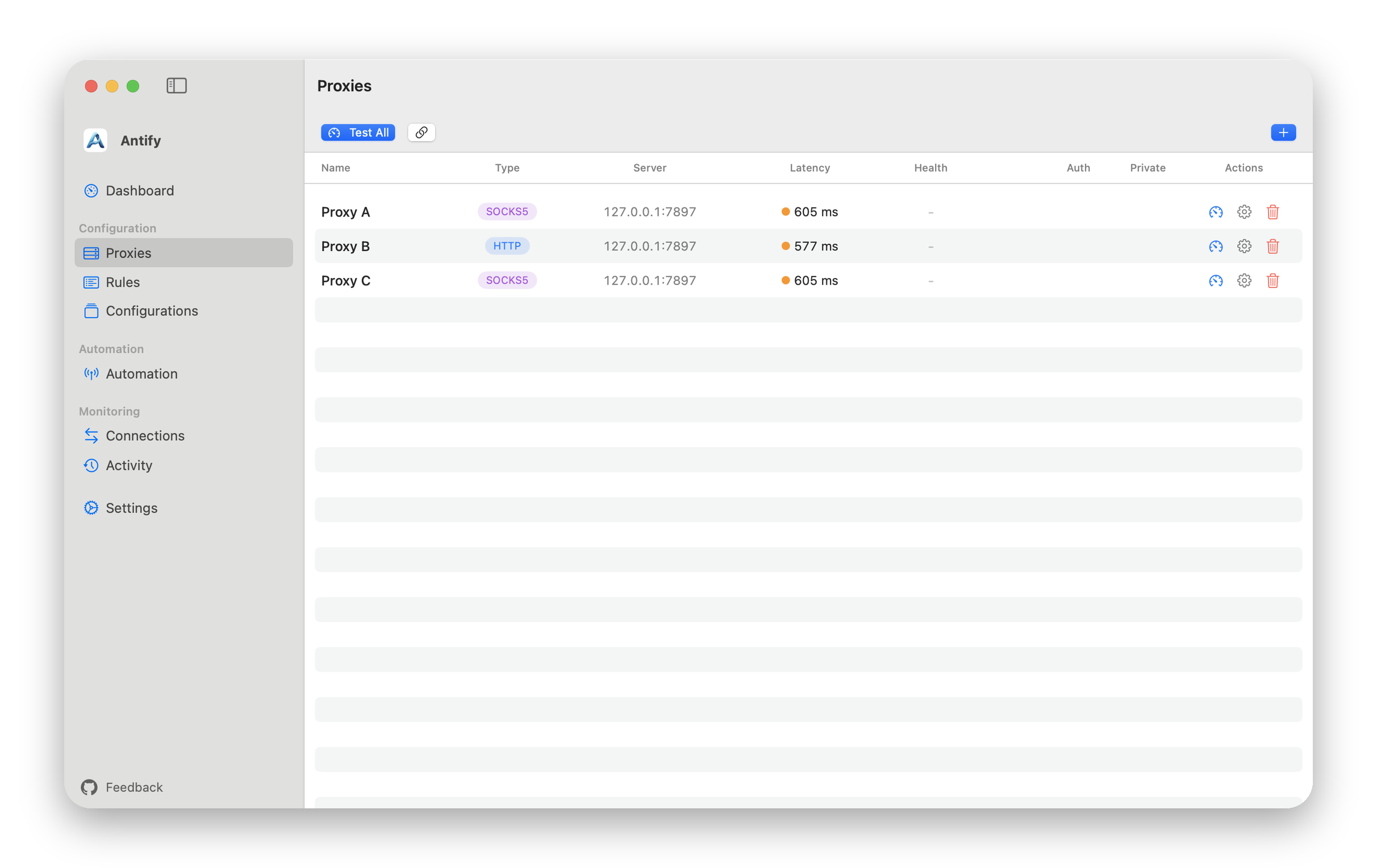
Choose Proxies in the sidebar, then click Add Proxy; once you already have a proxy, it is the + button in the upper-right corner.
- 2
Enter connection details
Enter a name, type, Server Address, and Port. Fill in Username and Password only when the proxy requires authentication.
- 3
Choose failure behavior
Direct on Failure is off by default, so when the proxy cannot be reached the connection simply fails. Turning it on lets those connections bypass the proxy instead.
- 4
Save
Name, address, and port are all required; the port must be between 1 and 65535.
Test before creating a rule
Use the gauge button on one proxy row, or Test All to check every proxy. The link button lets you change the test URL.
If a test fails, confirm that your proxy app is running, then check the type, address, port, and credentials. The result only confirms whether that test target is reachable through the selected proxy.
Create your first app rule
- 1
Open Rules
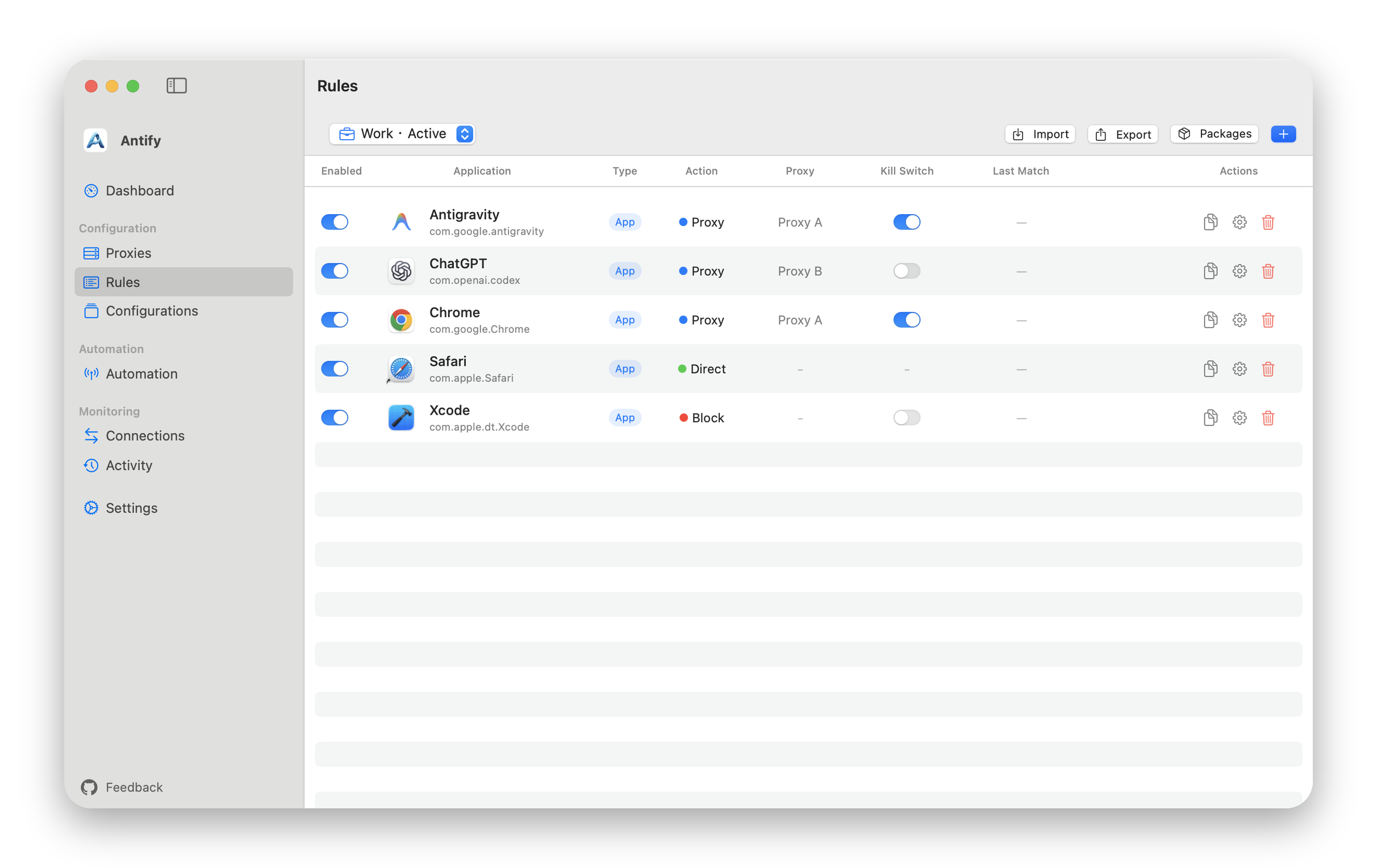
Click Add Rule, then drop an app into the form or choose it from the file picker.
- 2
Choose Proxy
Set Action to Proxy and select the proxy you just created under Proxy Server.
- 3
Save the rule
The Rules list now shows the app, its action, and the selected proxy. The rule affects only the app it matches. If the proxy a rule or default uses is deleted or disabled, that app’s traffic is blocked instead of going direct.
Start and confirm
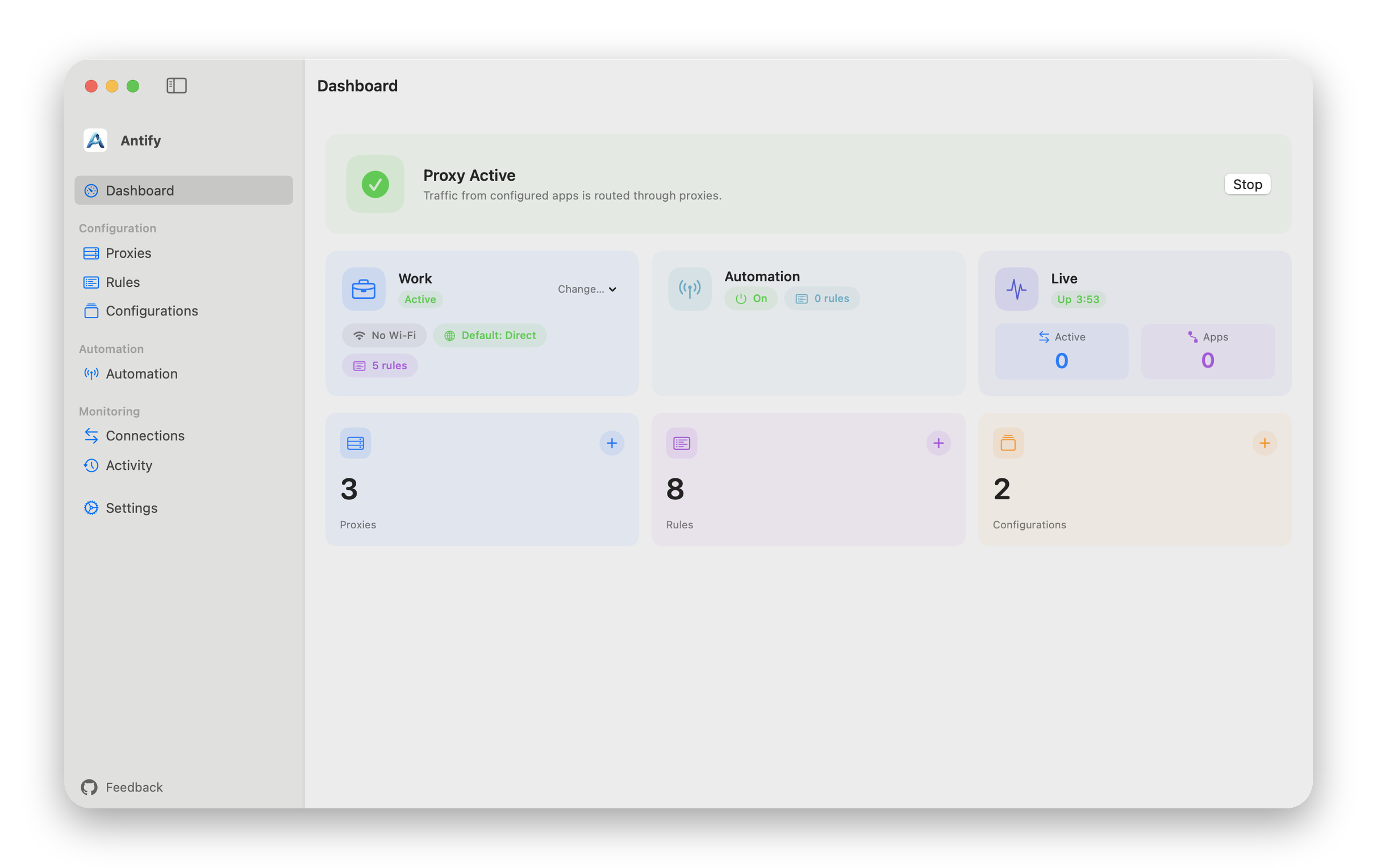
Return to Dashboard and click Start. If macOS asks you to approve the system extension, follow the system prompt.
After Dashboard shows Proxy Active, new connections follow the rules in the active Configuration. Existing long-lived connections may need to reconnect before a new rule takes effect.
If the card reads Network Problem, check this Mac’s network; if the network is fine, try restarting the proxy.